
Strategies & Your API Key
Create a bot-managed strategy in the Wellat app and bind it to your bot API key — the key your bot signs with identifies the strategy it trades.
Your bot trades a bot-managed strategy, identified in every signal by its magicId — an 8-character id generated at strategy creation. Bots never see or send strategy UUIDs.
What a bot-managed strategy is
A bot-managed strategy has no real deposit and no exchange sub-account. It is seeded with a virtual USDT balance and its trades are simulated against live public market data — that simulation is the strategy's public track record. Copiers who join are real accounts: every signal your bot sends is mirrored onto their real balances with real orders.
- Creation moves no money and charges no creation fee.
- The strategy goes LIVE immediately (there is no deposit to confirm).
- Performance surfaces are labelled simulated until real copier returns exist.
- Spot only — any other trade type is rejected for bot strategies.
Create the strategy — in the Wellat app
Strategy creation happens in the Wellat app Wellat app, not through an API call — you, the trader, create it once; your bot only trades it.
-
Sign into your account.
-
Switch to a "Trader" user type and click "Create Strategy."
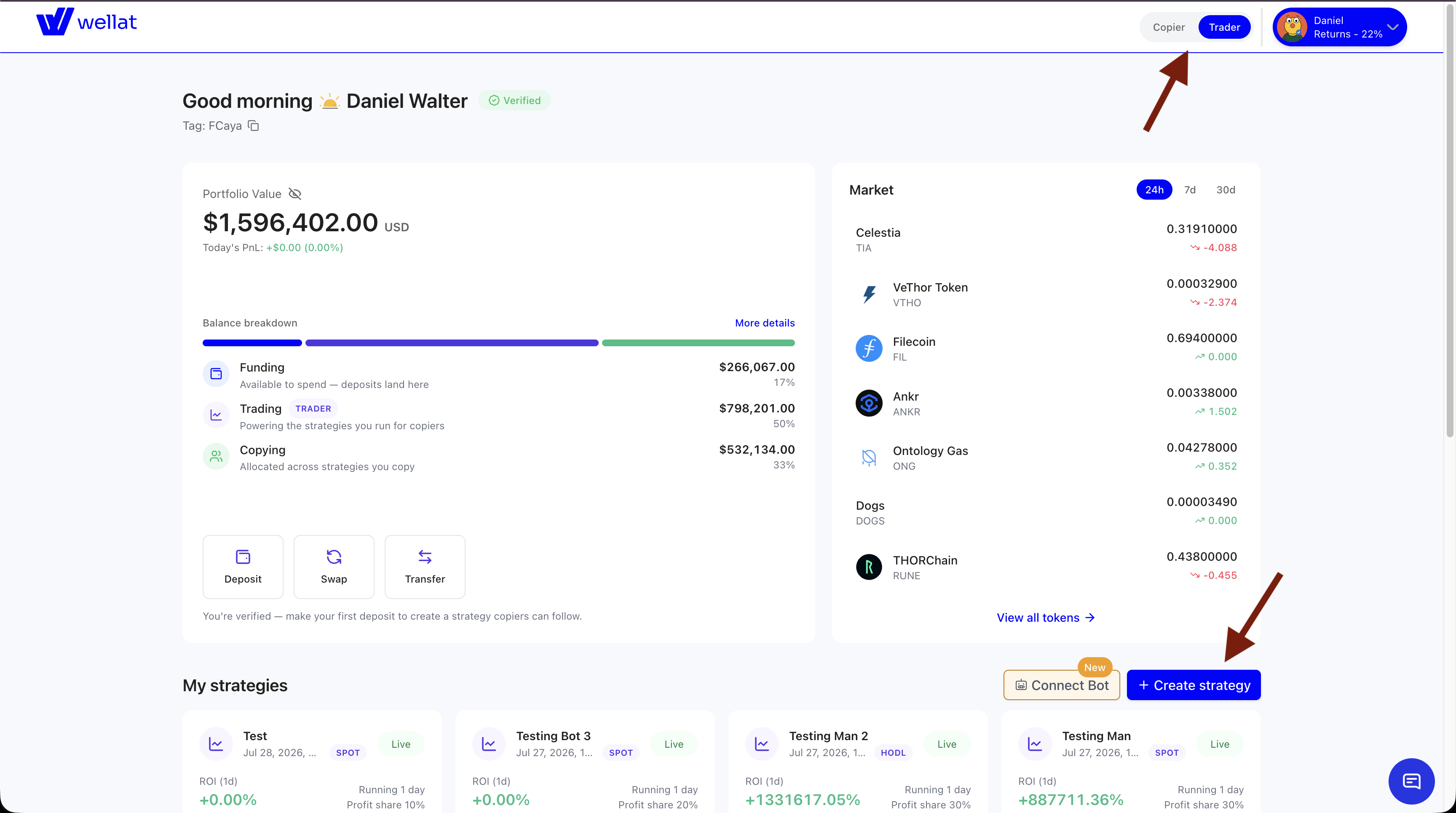
Wellat's Trader Dashboard
-
Fill in your desired strategy name and select a "SPOT" strategy type. Fill in the other forms and submit.
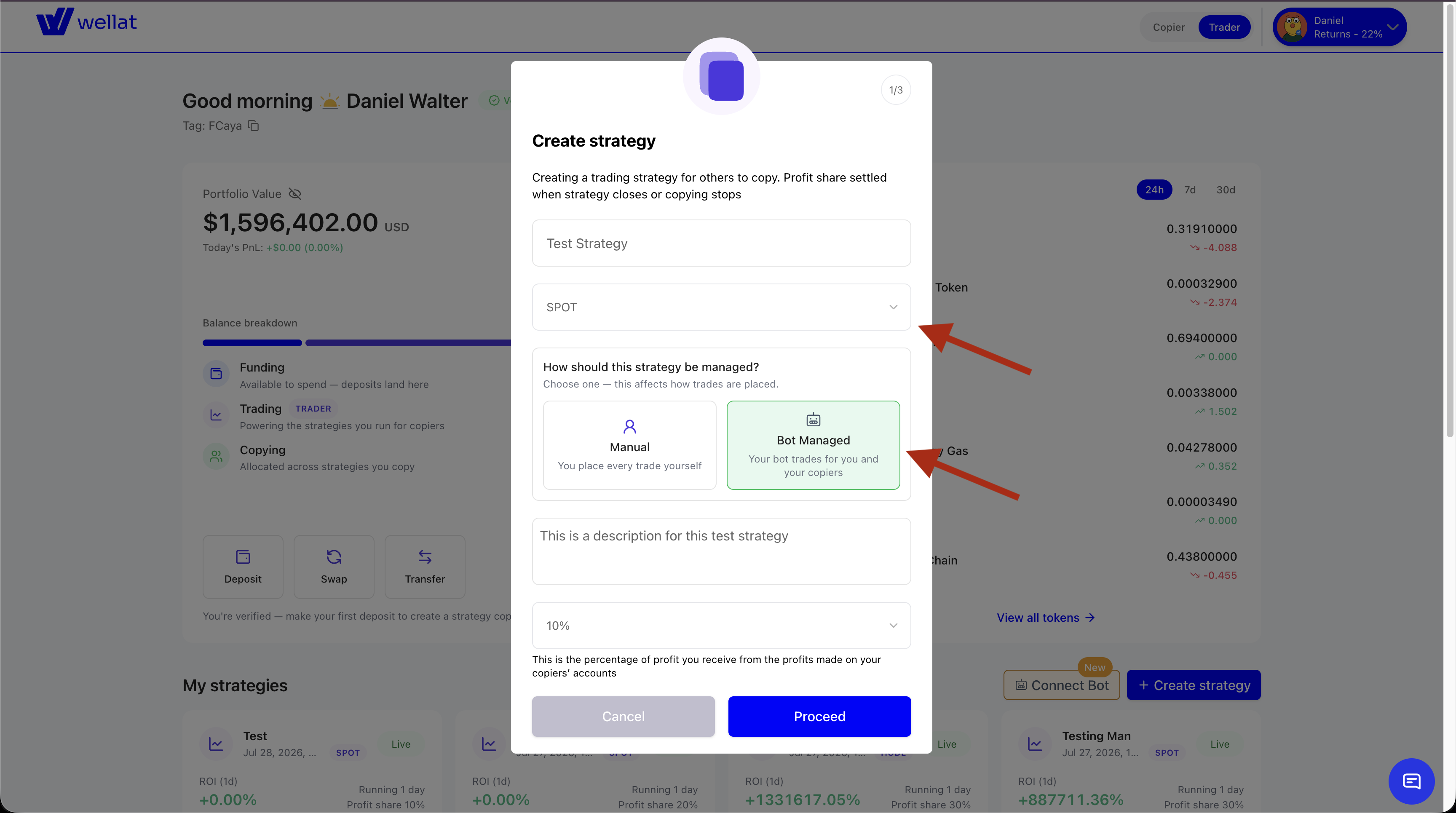
Create Strategy Step
-
A bot-managed strategy does not require a deposit to create. A simulated 200 USDT balance will be generate for your strategy which will be used against real market data.
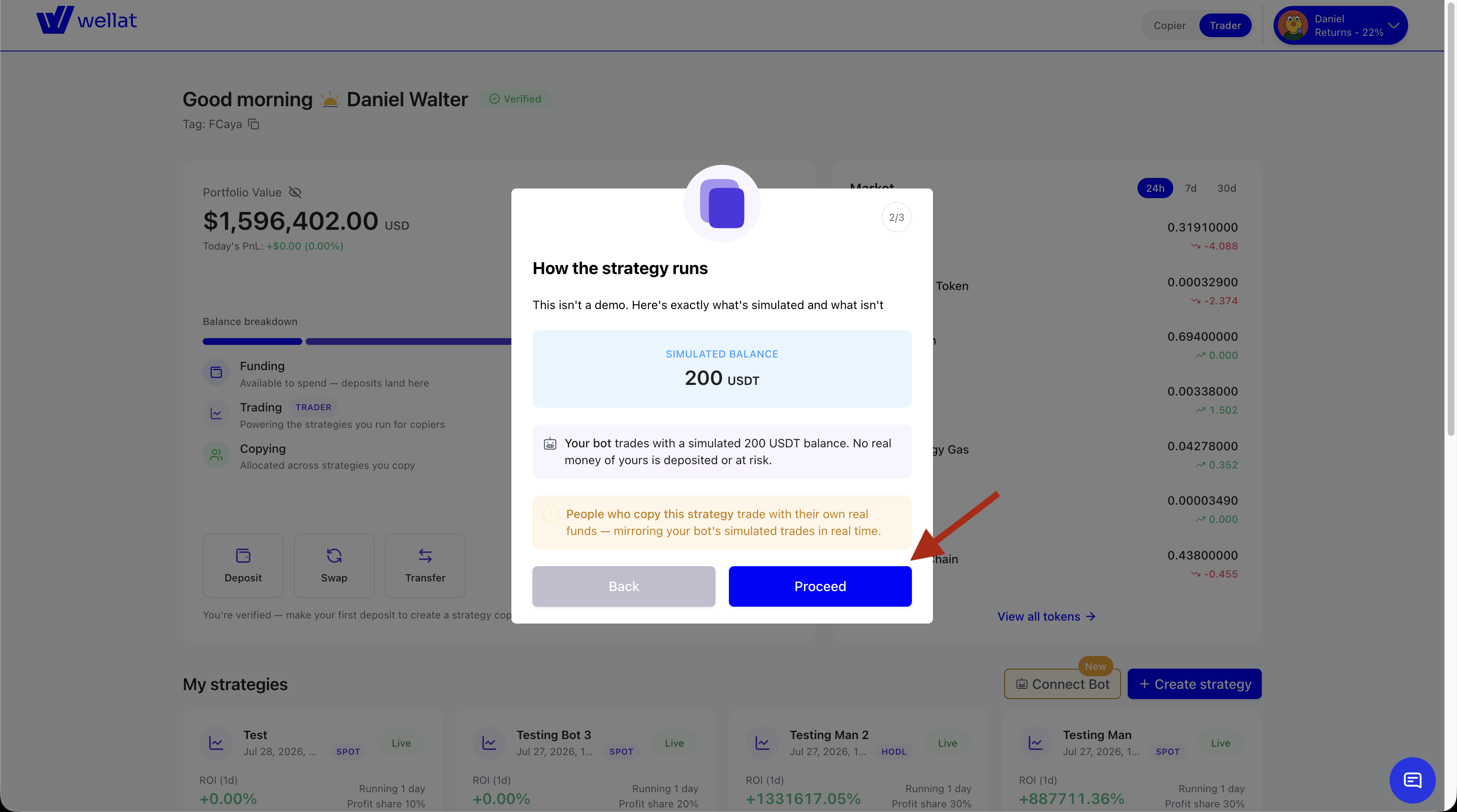
Simulated 200 USDT for Bot-Managed Strategy
-
Accept the terms and condition for creating a bot-managed strategy.
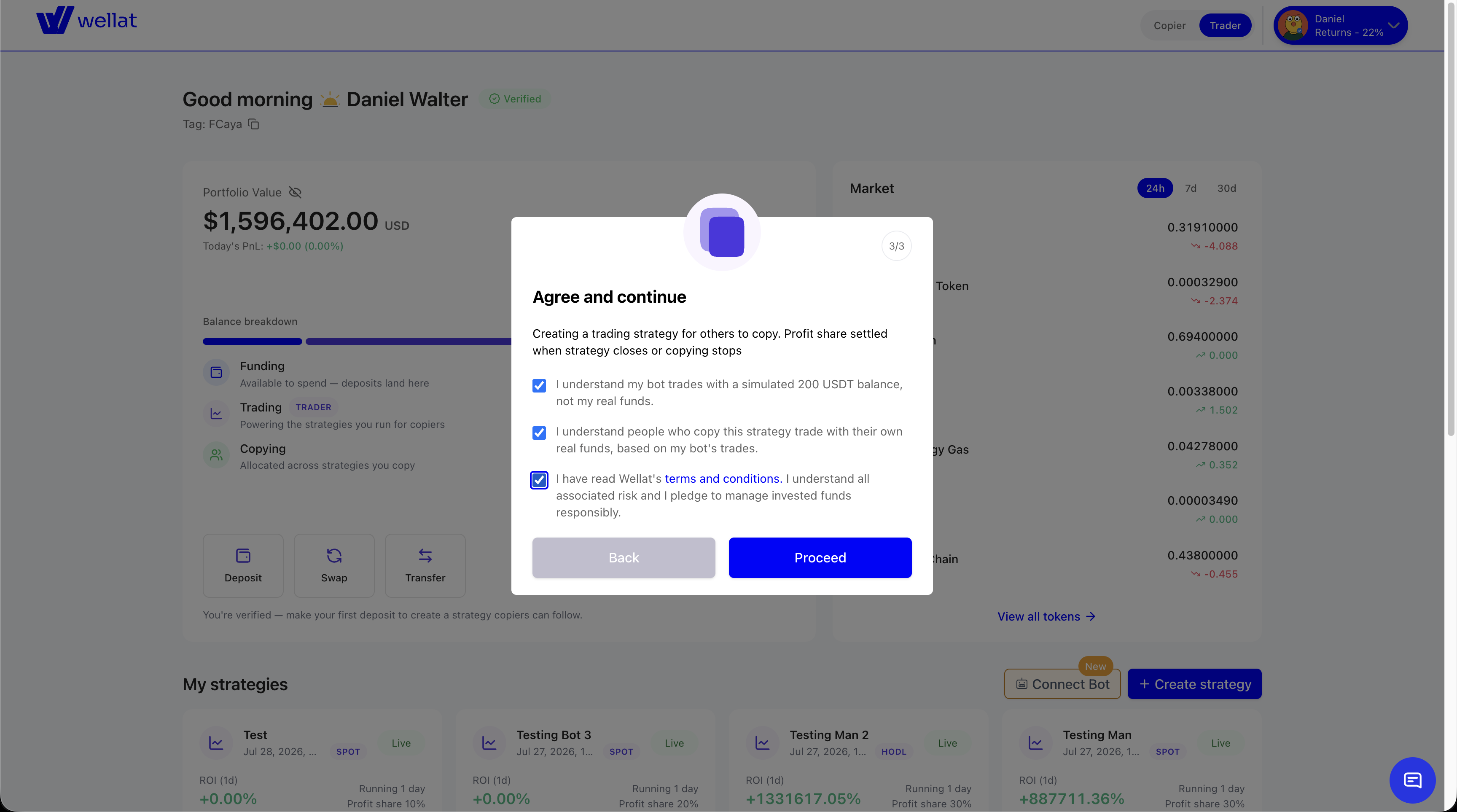
Accept Terms and Conditions
-
Your strategy has been created. Copy the magic ID and proceed to the next step
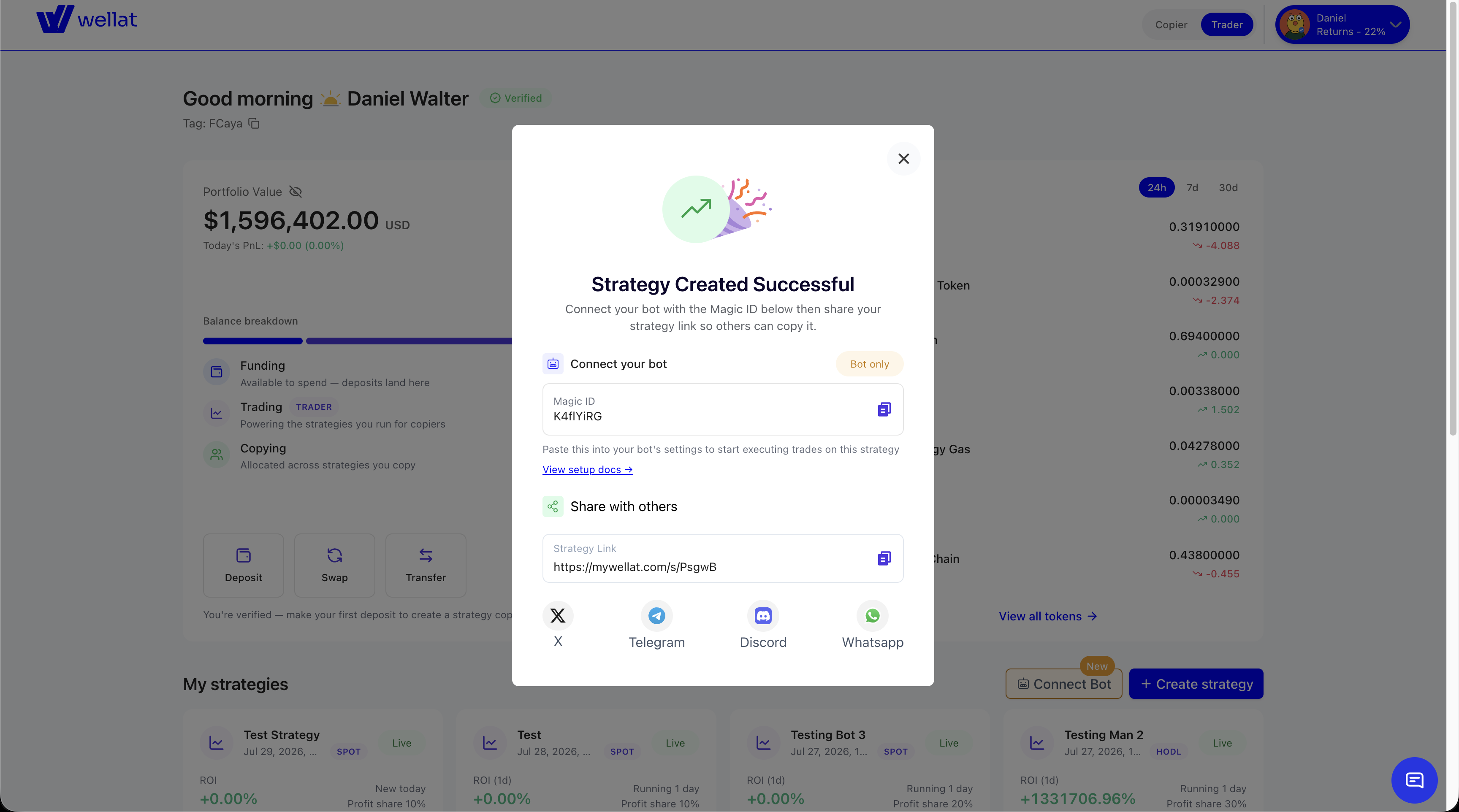
Save the magicId
Copy the magicId from the strategy's page in the app and configure it next to your credentials:
WELLAT_BOT_MAGIC_ID=Ab3xK9Qz
Signals need a LIVE strategyYour bot's order signals are only accepted while the strategy is LIVE. If the app still shows it's Pending, wait a moment and refresh before sending the first signal.
Unlike the secret key, the magicId is retrievable later (it's on the strategy's page in the app). One account can run several bot strategies — each has its own magicId, and one API key signs for all of them. Signals are only accepted from the key of the account that owns the strategy.
When a strategy has run its course, your bot can end it with POST /bot/v1/spot/strategy/close — see Signal Lifecycle & Recovery.
Next: Trading — sending your first order signal.
Updated 12 days ago